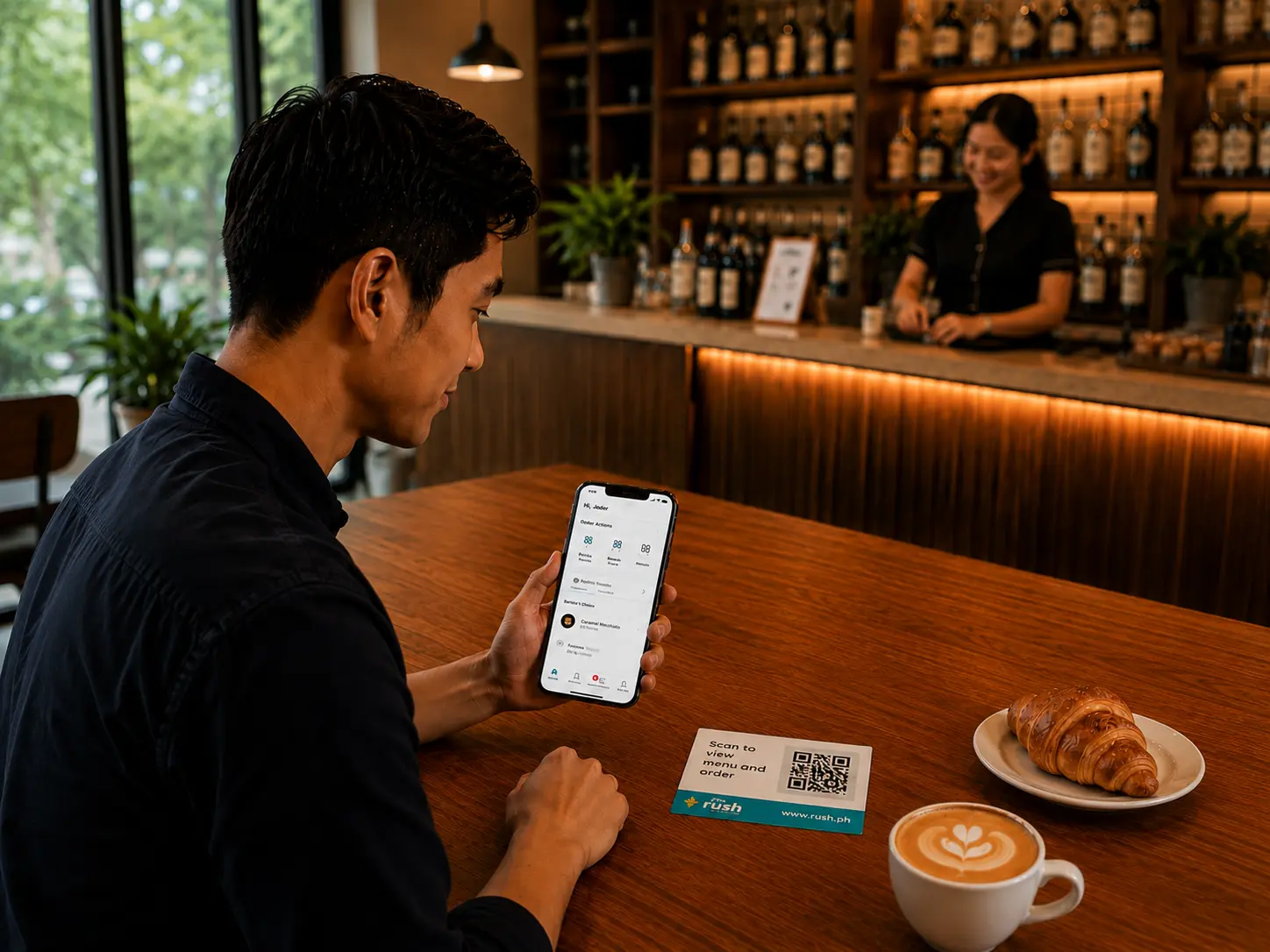

Scan to Order is a dine-in ordering system where customers scan a QR code at their table to browse the menu, place their order, and request their bill directly from their phone. No app download needed, no flagging down a server, and no order slips changing hands. The customer scans, orders, and pays at their own pace while your staff focuses on service instead of order-taking.
For restaurant and retail operations teams in the Philippines, QR code ordering has moved well past the pandemic workaround it started as. Over 70% of restaurants globally have now integrated QR codes into their operations in some form, and 66% of restaurants now use QR codes as part of their standard service flow. In the Philippines, where 30% of Filipinos dine out at least once every day and diners increasingly expect speed and convenience, a restaurant order system that does not offer digital ordering is already a step behind.
Learn more about its origins, and how QR code menu systems work below.
A server walking from table to table to take orders works fine at low volume. But this system breaks down during peak hours when every table is occupied, multiple groups are ready to order at the same time, and follow-up requests are coming in faster than staff can handle them.
The pain points are familiar to any operations manager who has run a busy service. Orders get missed or taken down incorrectly. Customers wait too long to get a server's attention. Staff spend more time running between tables than actually serving. And when a bill-out takes ten minutes because the server is occupied elsewhere, table turnover suffers.
A restaurant tablet ordering system was one early solution to this, but it comes with its own problems. Tablets need to be purchased, maintained, cleaned, and replaced when damaged. These costs per unit add up quickly across multiple branches.
QR code ordering solves the same problem of service efficiency without the hardware cost. The customer's phone becomes the ordering interface, and the only infrastructure your restaurant needs is a printed QR code assigned per table.
When a customer sits down and scans the QR code on their table, they are taken directly to your digital menu on their phone's browser without needing to download an app or create an account. They browse, select their items, and place their order. That order goes directly to your kitchen or staff, with the exact table number attached, with more advanced systems also noting orders down to the individual customer.
For groups, one person scans the QR code and hosts the order. Other members of the group join through a shared link and add their own selections. The kitchen sees everything in one consolidated order, so nothing gets split or lost between multiple requests.
When the group is ready to leave, they bill out from the same interface, choose their payment method, and settle directly from the table. Your staff confirms and the table is cleared.
For operations teams, what this changes is significant. Staff are no longer the bottleneck in the ordering flow. They shift from order-takers to service providers, handling requests, managing food delivery, and attending to customers who need special assistance, rather than spending their shift writing down orders and walking them to the kitchen.
When customers input their own orders, the chance of miscommunication drops significantly. There is no handwritten note to misread, verbal instruction to mishear, or order relay between server and kitchen to corrupt the request. What the customer selects is exactly what the kitchen receives.
For restaurants running high-volume service with complex menus, this accuracy improvement has a direct impact on food waste, kitchen efficiency, and customer satisfaction. A table that receives the wrong dish requires a replacement, or causes delays that affect the entire service flow.
Contactless payment solutions shorten end-of-meal checkouts by 5 to 10 minutes per table, which translates to 10% to 15% higher revenue per service period during peak hours. When bill-out is handled from the table without waiting for a server, the gap between one group leaving and the next being seated shrinks.
Over the course of a full service period, that time saving compounds. For a restaurant running 40 covers per service, shaving even five minutes off average table time creates meaningful capacity without changing the floor plan or adding staff.
A recent survey found that 78% of diners favor QR code menus over traditional paper menus. Part of the reason is practical: customers can browse at their own pace without feeling rushed by a server standing at the table. That unhurried browsing consistently leads to more items being added to the order.
One cafe reported that digital orders averaged 1.8 add-ons per table versus 0.9 with a cashier, purely because guests browse at their own pace without feeling rushed. For a restaurant with a drinks menu, dessert options, or add-on modifiers, that difference in average order value is substantial over a full week of service.
A printed menu requires a reprint every time a price changes, a dish is added, or an item runs out. A QR code menu updates instantly from your backend. If the kitchen runs out of a dish at 7pm on a Saturday, you remove it from the digital menu in seconds. Customers ordering at 7:01pm never see it as an option.
For restaurants managing seasonal menus, daily specials, or ingredient-dependent dishes, this real-time control is a practical operational advantage that printed menus simply cannot offer.
Operations teams evaluating a restaurant order system often compare QR-based ordering against tablet ordering systems. Here is how they differ in practice.
When it comes to hardware, tablet ordering systems require a dedicated device per table, along with the purchase cost, maintenance, and replacement expenses that come with it. QR-based ordering needs nothing more than a printed code per table. The customer's own phone becomes the ordering device, which means zero hardware investment on your end.
Setup cost follows the same logic. Tablets are a per-unit investment that scales with every table you add. QR codes are printable, free to regenerate, and take minutes to update. For a restaurant opening a new branch or expanding its floor, the cost difference is significant.
On menu updates, tablet systems depend on the software they run, which may or may not support instant changes. A QR code menu updates in real time from your backend the moment you make a change, whether that is a price adjustment, a sold-out item, or a new daily special.
Group ordering works differently across both systems as well. A tablet is fixed to one table, so the whole group shares one device. With QR-based ordering, one person scans and hosts the order, and everyone else at the table joins from their own phone. The kitchen receives everything in one consolidated ticket.
For payment, most tablet systems require a separate step to settle the bill, either at the counter or through a different device. QR ordering handles bill-out in the same interface the customer already used to order, so the entire experience from menu to payment stays on their phone.
For most F&B operations in the Philippines, especially those managing multiple branches, a QR code menu system offers the same operational benefits as a restaurant tablet ordering system without the per-unit hardware cost or the maintenance overhead.
RUSH Scan to Order gives your restaurant a fully branded QR-based ordering experience, no app download, no extra hardware, and no disruption to your existing service flow.
Orders go directly to your staff with table assignments attached, follow-up orders are added from the same interface, and bill-out is handled at the table through RUSH Scan to Pay, accepting GCash, Maya, credit and debit cards, and other major payment options.
For operations teams managing multiple locations, menu updates are centralized. A price change or a sold-out item is updated once and reflected across every branch immediately.
RUSH Scan to Order also pairs with RUSH Loyalty Points, so every dine-in visit can earn rewards, turning a single meal into a reason for the customer to return.
Filipino diners in 2026 expect digital ordering as part of the dine-in experience, not as a novelty. RUSH Scan to Order gives your operations team the tools to meet that expectation without adding complexity to daily service.
Book a demo with RUSH to see how Scan to Order fits into your restaurant.
What is Scan to Order? Scan to Order is a QR code-based ordering system where customers scan a code at their table to browse the menu, place orders, and pay directly from their phone without needing an app.
How does QR code ordering work for restaurants? A QR code is placed at each table. Customers scan it with their phone, browse the digital menu, select items, and place their order. The order goes directly to the kitchen or staff with the table number attached.
Can Scan to Order handle group orders? Yes. One person scans the QR code and hosts the order. Other members of the group join through a shared link and add their own selections. The kitchen receives everything in one consolidated ticket with the table number attached.
Do customers need to download an app to use Scan to Order? No. RUSH Scan to Order works through a branded microsite on the customer's phone browser. No app download or account creation is required.
How can RUSH help my restaurant set up a Scan to Order system? RUSH Scan to Order is fully configurable, supports individual and group ordering, integrates with Scan to Pay, and requires no additional hardware. Book a demo and we will walk you through the setup.